
Stream Catchon TV on Multiple Devices: Limits & Setup
August 15, 2026 · 7 min read
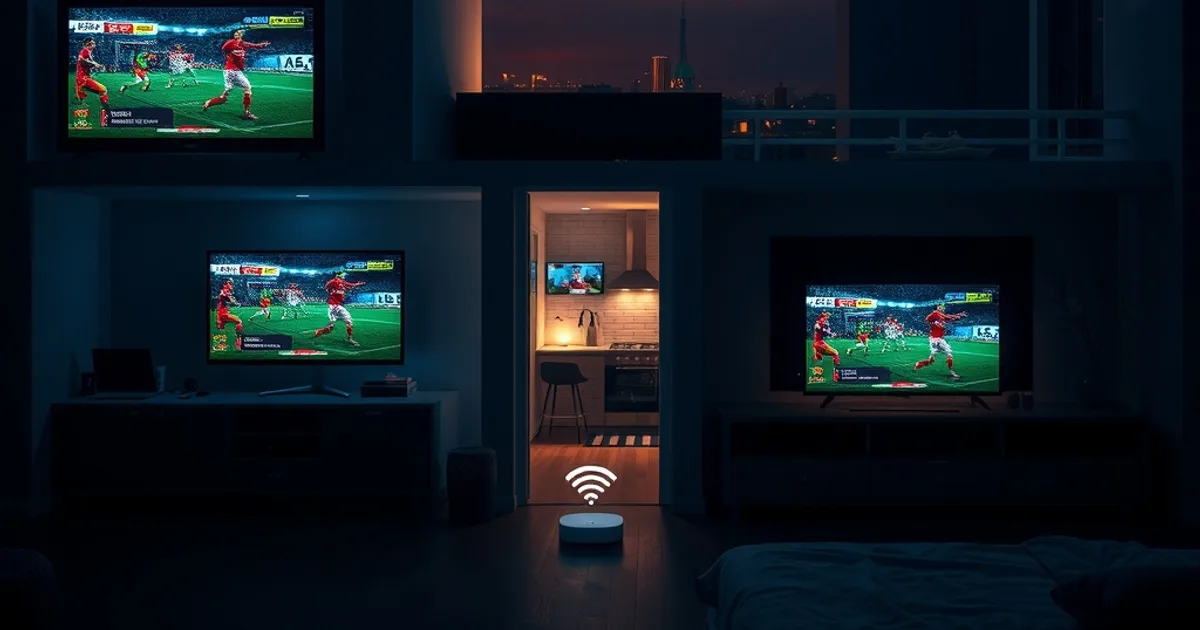
The NFL 2026 season kicks off in early September, which is roughly three weeks out from today — and it's the point in the year when Catchon TV support gets the same question from a dozen different households: can everyone in the house watch a different game at the same time, or does the second TV just kick the first one offline?
It's a fair question, because the terminology gets conflated constantly. "How many devices can I install Catchon TV on" and "how many devices can stream Catchon TV at the same moment" are two different limits, and mixing them up is the single most common source of a mid-game "unauthorized" error. Whole-home, multi-device streaming is the dominant IPTV trend going into this season, and most general guides gloss over the mechanics of how a single account actually behaves under simultaneous load.
This guide separates installation from concurrency, explains what actually happens when a household exceeds its stream allowance, and walks through the network side of running several screens on football Sundays without one room's buffering ruining another's.
Understanding Simultaneous Streams vs. Device Installation
Installing the Catchon TV app and logging in on a device is not the same action as that device actively playing a stream. You can have the app installed and signed in on a living room Smart TV, a bedroom Fire Stick, two phones, and a laptop — five separate installs — without any of them conflicting, as long as they aren't all pulling a live channel at the identical moment.
The limit that actually matters is concurrency: how many of those signed-in devices can be actively decoding and playing video from your account at once. That number is set by your subscription tier, not by how many times you've installed the app. This is why a household can genuinely have Catchon TV set up in every room, yet still hit a wall the first time three people try to watch three different matches during the same Sunday afternoon window.
Knowing which limit you're actually running into changes how you troubleshoot. An "install" problem is fixed by re-entering credentials or clearing app data on a specific device. A "concurrency" problem is fixed by closing an idle stream elsewhere in the house or adjusting your plan — no amount of reinstalling touches it.
Not sure how many screens your current plan can run at once before kickoff?
How Many Devices Can Use Catchon TV?
There's effectively no cap on how many devices can have the app installed and the account logged in — a phone, a tablet, two Smart TVs, an Apple TV, and a streaming box can all carry valid credentials simultaneously with zero issue, since a dormant login uses no server resources.
The number that's capped, and that varies by account tier, is how many of those devices can be actively streaming at the exact same second. Catchon TV's tiers are not identical on this point, and the allowance tied to your specific plan is listed in your account panel rather than being a fixed, one-size-fits-all number across every subscription — a household on a higher tier will generally clear more simultaneous screens than one on an entry plan, which is exactly why this is worth checking before matchday rather than during it.
If you're not sure what your account allows, the fastest way to find out is to ask directly rather than guess by trial and error mid-game — a quick message before the season starts saves a frustrating first Sunday. Reach out early rather than during kickoff.
Installing Catchon on Every Device in Your Home
Each device type has its own install path, and getting each one right the first time avoids most of the errors people mistake for stream-limit problems. On a Samsung or LG Smart TV, the process runs through the TV's own app store rather than a sideload, and the full walkthrough is covered in our Smart TV setup guide at /install-catchon-tv-smart-tv-samsung-lg.
Fire Stick and Fire TV devices use a different flow, typically through a downloader app or sideload method depending on the generation of hardware — the complete steps are in /catchon-tv-firestick-setup. This tends to be the most common secondary-room device, since it's cheap to add to a bedroom or kitchen TV without replacing the television itself.
For Apple hardware — iPhone, iPad, and Apple TV via AirPlay — the setup differs enough from Android-based devices that it deserves its own reference, which is at /catchon-tv-iphone-ipad-airplay-apple-tv-setup. A second Apple TV in another room reuses the same credentials and becomes its own independent viewing point once the app is signed in, no extra account configuration required.
A practical habit for multi-device households: install and sign in on every device you plan to ever use before the season starts, even the ones you'll only touch occasionally. That way, on a Sunday when three games overlap, you're choosing which screen to use rather than fighting with a fresh install under time pressure.
Watching Sports Simultaneously Without Freezing
Freezing during parallel streams is far more often a home-network problem than a Catchon TV problem, and the distinction matters because the fixes are completely different. If a single stream on a single device runs perfectly, but adding a second or third screen causes all of them to stutter, that's your router or your ISP connection running out of headroom — not the service.
The device doing the heaviest lifting is usually whichever one is pulling the highest resolution feed, and 4K in particular needs meaningfully more sustained bandwidth than standard or HD streams. Our device- and codec-specific breakdown at /4k-iptv-streaming-setup-device-codec-speed goes deeper into what a 4K stream actually requires versus what most home connections comfortably support when nothing else is competing for bandwidth.
For NFL Sundays specifically, where a household might have two or three games live in different rooms plus a phone checking a fourth score, the practical move is deciding in advance which screen gets priority. Give the main TV the best connection in the house — wired if at all possible — and treat secondary screens as lower priority so a bandwidth squeeze degrades the room nobody's actually watching, not the one everyone's gathered around. Our full gameday setup checklist for the new season is at /nfl-2026-27-catchon-tv-setup-gameday.
What Happens When You Exceed Your Stream Limit
When a household tries to start a stream on a device that would push the account past its concurrent allowance, the behavior is generally one of two things: the new stream gets refused outright with an error, or the system disconnects the account's oldest active session to make room for the new one. Which one you see can depend on your specific tier and app version, so don't assume it always works the same way every time.
This is the moment people usually panic and assume something is broken with their subscription, when in fact nothing is wrong — the account is simply being asked to do more than it's provisioned for at that instant. Closing an idle stream elsewhere in the house (a bedroom TV left on a channel nobody's watching is a classic culprit) immediately frees up the slot.
If this happens routinely rather than as a one-off, it's a genuine signal that your household's actual viewing habits have outgrown your current tier, and it's worth asking whether a plan with a higher simultaneous-stream allowance fits better than repeatedly working around the limit. That's a conversation worth having before the season gets underway, not after the third Sunday in a row someone gets kicked off mid-drive.
Troubleshooting Connection Drops During Multi-Device Viewing
The most common cause of a stream dropping specifically when a second or third device joins is router congestion, not the Catchon TV service itself — and the tell is simple: if a solo stream runs flawlessly but adding devices causes drops, the bottleneck is local. Check how many devices are actually connected to your Wi-Fi at once, including ones with no bearing on streaming, since older routers can choke on total connected-device count well before they run out of raw bandwidth.
A second, less obvious cause is ISP-level throttling that only becomes visible once your household's combined usage crosses a threshold your provider treats as heavy traffic during peak evening hours. If drops cluster specifically around prime-time kickoffs rather than happening randomly, that pattern is worth investigating separately — our dedicated guide at /fix-isp-throttling-catchon-tv walks through how to tell the difference between throttling and a router problem, and what to do about each.
DNS resolution issues are a quieter culprit: if a stream connects but takes an unusually long time to start, or if one device on the network struggles while others on the same router are fine, try switching that device's DNS to a public resolver rather than your ISP's default. It's a five-minute change that resolves a surprising share of "random" one-device freezing.
Finally, restart the router itself before troubleshooting anything else if multiple devices have been streaming for hours. Consumer routers accumulate memory and connection-table bloat under sustained heavy traffic, and a stale router state produces exactly the kind of intermittent, hard-to-reproduce freezing that gets wrongly blamed on the IPTV app.
See which Catchon TV tier actually matches how many rooms your household streams to.
Whole-Home Streaming Best Practices
Router placement matters more than most people assume once you're running several screens at once. A router tucked in a closet or behind a TV loses signal strength fast, and the room furthest from it is always the first to show buffering when total household traffic climbs. Central, elevated placement — not hidden away for aesthetics — measurably helps every device on the network, not just the one nearest the router.
If your router supports Quality of Service (QoS) settings, use them to prioritize your main streaming devices over background traffic like phone backups or downloads happening elsewhere in the house. This is a one-time setup that pays off every single Sunday, and it matters more for multi-device football viewing than almost any other single router setting.
For homes larger than a single-router Wi-Fi signal can comfortably cover, a wired Ethernet backhaul to the room with the most demanding screen — or a mesh system with wired backhaul between nodes — outperforms adding more Wi-Fi extenders, which tend to add latency rather than remove it. Wired is always the most reliable option for your primary viewing TV if running a cable is at all feasible.
Last practical note: don't wait until the first big game of the season to test your setup under real load. A week or two before kickoff, turn on every device you actually plan to use at once and let them run together for a full quarter's worth of time. Problems that only show up after sustained multi-device use are exactly the ones you don't want discovering live during a game that matters.
Frequently asked questions
Can I install Catchon TV on more devices than my plan's stream limit?
Yes. Installing the app and signing in on a device costs nothing against your limit — only actively playing a stream counts. You can have Catchon TV set up on every TV, phone, and tablet in the house and only run into a limit when too many of them try to stream at the exact same moment.
Why did my stream suddenly stop working when someone else in the house started watching?
This is almost always a concurrent-stream limit being reached, not an account problem. Starting a new stream when the account is already at its allowance can disconnect the oldest active session or refuse the new one, depending on your tier. Closing an unused stream elsewhere usually resolves it immediately.
Does watching in 4K use up more of my simultaneous-stream allowance than HD?
No — the stream limit counts active streams, not resolution. A 4K stream and a standard-definition stream both count as one active connection each. What 4K does affect is your home network's bandwidth headroom, which is a separate constraint from the account-level stream limit.
How do I check how many simultaneous streams my Catchon TV plan allows?
Your account panel lists the details tied to your specific subscription tier. If it isn't clear, the fastest way to get a definitive answer is to ask support directly before you need it for a live game, rather than discovering the limit mid-stream.
Is it my router or my Catchon TV account when multiple streams freeze at once?
If a single stream on its own runs perfectly but adding a second or third device causes all of them to stutter, that points to your home network running out of bandwidth or your router struggling with connected-device count — not the Catchon TV service. See the troubleshooting steps above for router, DNS, and ISP-level fixes.
Should I upgrade my plan just for NFL Sundays?
If your household regularly wants three or more different games live in different rooms at once and you're consistently hitting your current limit, it's worth comparing tiers before the season rather than working around drops every week. If it's only an occasional overlap, closing an idle stream elsewhere is usually the simpler fix.
Read next: the pricing page or the FAQ.