
Watch UEFA Champions League 2026-27 on Catchon TV
August 19, 2026 · 7 min read
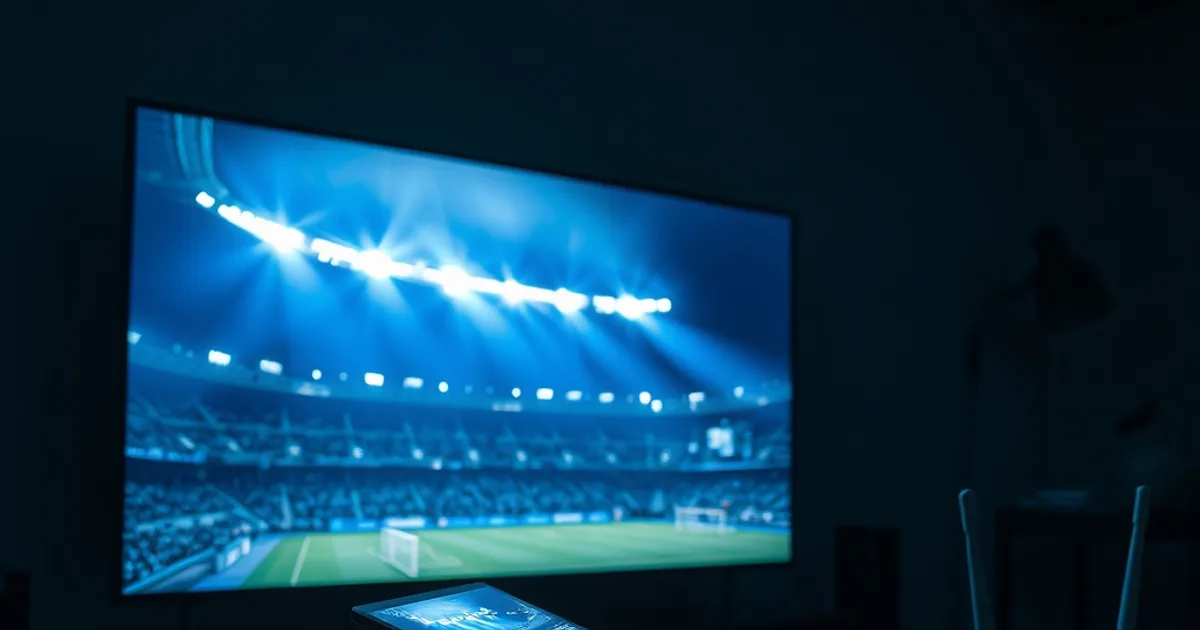
The UEFA Champions League 2026-27 qualifying rounds are already underway, running from early July through mid-August 2026, with the draw for the new 36-team league phase set for August 27 and the League Phase itself kicking off on September 8, 2026. The final is scheduled for June 5, 2027, at the Estadio Metropolitano in Madrid — which means search interest in Champions League streaming setups will stay elevated for the better part of a year.
In the United States, Paramount+ holds exclusive English-language rights to every Champions League match through the 2029-30 season, with only a handful of games simulcast on CBS or CBS Sports Network. For viewers outside that ecosystem, or anyone who wants a single service covering CL alongside domestic leagues and other sports, IPTV has become the practical alternative — and 'backup stream reliability' is one of the most searched terms in sports IPTV communities right now, for good reason: nothing kills a matchday like a frozen frame two minutes before a penalty.
This guide isn't another generic 'how IPTV works' explainer. It's a Champions League-specific setup: how to configure TiviMate for match-day reliability, how to build a real backup failover routine, and how to stress-test your connection before kickoff instead of finding out it's shaky during a knockout leg.
Where to Watch Champions League 2026-27: Paramount+ vs IPTV
Paramount+ is the rights holder for English-language Champions League coverage in the US, and it's a fine option if you only watch European football and don't mind a single-competition subscription tied to one region. The gap it leaves is coverage depth outside that one competition and one language, plus the flexibility to watch on your own terms across devices and countries.
IPTV fills that gap by aggregating channel feeds — including the broadcasters that carry Champions League in various markets — into one app, alongside the rest of your sports and entertainment viewing. The trade-off is that IPTV quality depends entirely on the service's server infrastructure and your own setup discipline, which is exactly why the rest of this guide focuses on reliability rather than just 'which app to install'.
If you're deciding which Catchon TV plan actually covers the channels you need for a full CL campaign, our /blog/catchon-tv-subscription-guide walks through plan selection specifically for competition-length access rather than a one-off match.
Not sure which channels carry your Champions League matches this season?
Why Catchon TV Wins for Champions League
Football-specific IPTV reliability comes down to three things: channel depth (do you actually get the broadcasters carrying your matches), server capacity during simultaneous kickoffs, and whether there's a real backup path when a primary stream drops. Champions League matchdays are the hardest stress test in the calendar because multiple high-profile fixtures often kick off at the same time, spiking demand across every server in the chain at once.
Catchon TV's value for CL viewers isn't a marketing claim about channel counts — it's the combination of redundant stream sources per channel and a setup process (covered below) that puts failover in your hands rather than leaving you to refresh and hope. Before matchday, it's worth confirming your own lineup: our /blog/catchon-tv-sports-channels page lets you verify which broadcasters carrying Champions League matches are actually in your channel list before you build your viewing plan around them.
None of this replaces good habits on your end. A perfectly reliable service can still buffer on a poorly configured player or a congested home network — which is why the setup steps below matter as much as the service itself.
Setting Up Catchon TV in TiviMate for CL Matches
TiviMate is the standard player for serious IPTV viewing because its decoder and buffer settings give you direct control over how the stream is handled — control that matters a lot more during a Champions League knockout leg than during casual viewing. Start with the decoder: set it to HW+ (hardware-plus) rather than software decoding, since HW+ offloads video decoding to your device's dedicated chip, reducing the CPU load that causes stutter on lower-powered boxes like the Fire Stick.
Buffer size is the second lever. A larger buffer (in the 5-10 second range rather than TiviMate's minimal default) absorbs short network hiccups without you noticing, at the cost of a slightly longer delay before play starts. For a match you're watching live and don't want spoiled by social media, that trade-off is worth it — a two-second longer buffer beats a mid-action freeze.
Also enable format auto-detect so TiviMate matches the incoming stream's resolution and frame rate automatically instead of forcing a mismatched output that can cause dropped frames. For the full walkthrough of every relevant TiviMate setting compared against Smarters Player, see our /blog/iptv-player-comparison-tivimate-smarters — it covers decoder options and EPG setup in more depth than fits here.
Backup Stream Strategy: Automatic Failover So You Never Miss a Goal
The single highest-leverage habit for Champions League viewing is not relying on one channel entry per match. Most IPTV services, Catchon TV included, list the same broadcast under multiple stream sources when available — treat these as your manual failover set, not a redundant duplicate to ignore.
Before kickoff, identify two or three alternate entries for the match you're watching and add them to a TiviMate favorites folder labeled by fixture. If your primary stream buffers or drops, switching to the backup entry takes seconds if it's already favorited — versus a frantic channel search while play continues.
TiviMate also supports multi-view style quick-switching if you keep a second output active (a phone or tablet as pictured in the setup below), which effectively gives you a live backup screen rather than a cold-switch scramble. This is the difference between 'never miss a goal' as a slogan and as an actual workflow.
Internet Speed & Pre-Match Testing for 4K Champions League Streaming
4K streaming needs sustained bandwidth, not just a peak speed test result — Champions League broadcasts in 4K typically require a stable connection with meaningful headroom above the stream's actual bitrate, because home networks rarely deliver their advertised maximum consistently under load. If you're new to what codec and device combination actually delivers clean 4K, our /blog/4k-iptv-streaming-setup-device-codec-speed breaks down the codec and hardware requirements in detail.
Run your speed test at the same time of day and on the same device you'll actually watch on — a wired living-room test means little if you'll be streaming on a Fire Stick over Wi-Fi. Do this the day before a big fixture, not fifteen minutes before kickoff, so you have time to fix problems rather than just discover them.
A proper pre-match check has three steps: confirm your baseline speed, open the actual match channel and your backup entries to verify they resolve cleanly, and manually trigger your failover switch once as a dry run. If the switch is clumsy in a calm pre-match test, it will be worse under pressure in the 89th minute.
Peak-Hour Optimization: Playing During High-Traffic Matches
Champions League nights with multiple simultaneous kickoffs put load on two separate systems: the IPTV provider's servers and your own ISP's local network during peak hours. You can't control the first, which is why backup streams matter, but you have real control over the second.
Ethernet beats Wi-Fi decisively for match-day reliability — a wired connection removes an entire layer of interference and congestion that's hardest to diagnose mid-stream. If running a cable to your TV isn't practical, a powerline adapter is a reasonable middle ground.
Close background devices and apps competing for bandwidth during kickoff, and if buffering patterns repeat at the same time every matchday regardless of your own network, that's a signal worth checking against ISP throttling rather than assuming it's the stream. Our /blog/fix-isp-throttling-catchon-tv guide covers how to identify and work around peak-hour throttling specifically.
Multi-Device Champions League Setup: Fire Stick, Tablet, and TV Together
Watching Champions League across a main TV screen and a secondary device isn't just convenient — it's a practical failover layer. A tablet or phone running Catchon TV on a separate connection (mobile data, for instance) keeps you covered even if your entire home network has an issue, not just the stream.
Fire Stick remains the most common living-room device for IPTV, but it's also the most resource-constrained, so its setup deserves specific attention rather than assuming default settings will hold up on a demanding matchday. Our /blog/catchon-tv-firestick-setup covers device-specific reliability steps — cache clearing, background app limits, and storage management — that matter more on Fire Stick than on more powerful hardware.
If you're running multiple devices simultaneously, confirm your plan supports concurrent streams before matchday rather than during it, so a second screen doesn't unexpectedly log out your main TV mid-match.
Get your backup-stream setup ready before the League Phase kicks off on September 8.
Troubleshooting Mid-Match: Quick Fixes If Buffering Starts
If buffering starts during live play, switch to your pre-favorited backup stream first — don't waste time restarting the app or your router, since a channel switch resolves most mid-match issues faster than a full reset. This is exactly why the backup strategy above needs to be set up before kickoff, not improvised during it.
If the backup also struggles, the issue is more likely local: pause other devices on the network, check whether a scheduled download or backup is running in the background, and confirm you're still on Ethernet rather than having silently fallen back to Wi-Fi.
If problems persist across every stream source for the same match, it's worth checking whether the issue is isolated to that specific broadcaster feed rather than your setup — a quick look at your channel list against /blog/catchon-tv-sports-channels tells you whether an alternate broadcaster is carrying the same fixture.
Frequently asked questions
When does the UEFA Champions League 2026-27 season start?
Qualifying rounds run from early July through mid-August 2026, the league-phase draw takes place on August 27, 2026, and the new 36-team League Phase begins on September 8, 2026. The final is scheduled for June 5, 2027, in Madrid.
Is Paramount+ the only way to watch Champions League in the US?
Paramount+ holds exclusive English-language broadcast rights in the US through 2029-30, with limited simulcasts on CBS and CBS Sports Network. IPTV services like Catchon TV are the practical alternative for viewers who want broader channel coverage or aren't tied to that single platform.
What TiviMate settings actually matter for Champions League matches?
HW+ decoder mode, a slightly larger buffer (roughly 5-10 seconds) than TiviMate's default, and format auto-detect enabled. These reduce the stutter and dropped frames that are most noticeable during fast live action rather than static content.
How do I set up a backup stream for a match I don't want to miss?
Before kickoff, find the alternate stream entries for that fixture in your channel list and save them to a dedicated TiviMate favorites folder. If your primary stream drops, switching to a pre-saved backup takes seconds instead of a live search.
Does Wi-Fi cause more buffering than Ethernet during big matches?
Generally yes, especially during peak-traffic matchdays. Wi-Fi introduces interference and congestion that's harder to diagnose mid-stream, while a wired Ethernet connection removes that variable entirely and is the most effective single fix for match-day reliability.
Can I watch on Fire Stick, tablet, and TV at the same time?
Yes, as long as your plan supports concurrent streams — worth confirming before matchday. Running a second device on a separate connection also doubles as a practical backup if your home network has issues.
Read next: the pricing page or the FAQ.