
TiviMate vs IPTV Smarters Pro: Which Player Suits Catchon TV?
August 4, 2026 · 8 min read
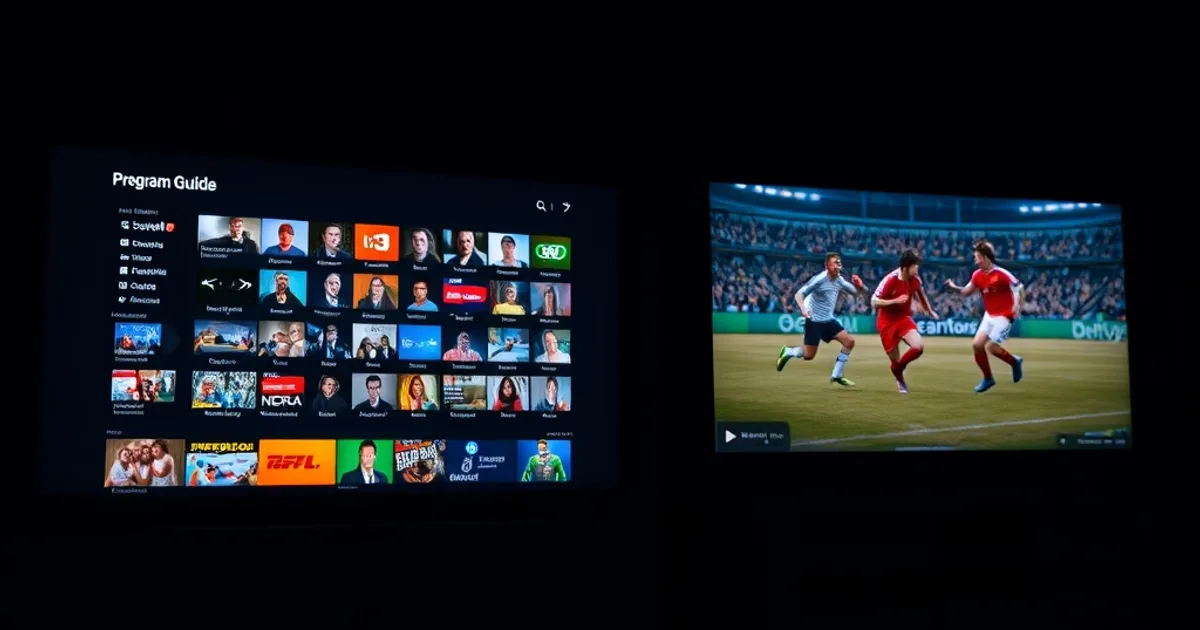
Every generic "best IPTV player" list online tests these apps against demo playlists or public streams that have nothing to do with what you're actually watching. That tells you almost nothing about how a player will behave once it's pointed at a real subscription during a real match, on the real hardware sitting under your TV. So instead of repeating another feature checklist, we loaded Catchon TV onto TiviMate and IPTV Smarters Pro side by side — same account, same channels, same night of live sport — and watched what actually happened.
August 2026 is peak device-buying season: new Fire Stick models, Android TV boxes, and Smart TVs are moving off shelves in bulk, and a lot of new IPTV users are picking a player for the first time with zero context. Most of the comparison guides they'll find are recycled from prior years or written by sites that have never touched a real subscription. This one is different — it's built specifically around what running Catchon TV on each app is actually like, not a theoretical feature table.
Short version: both apps are excellent, and neither is objectively "better" in every scenario. The right pick depends on which device you're using, how much you care about a polished live-TV interface versus maximum device coverage, and whether you're the type who wants to fine-tune every setting or just wants something that works in five minutes.
Why choosing the right IPTV player matters (and why generic comparisons miss it)
The IPTV player is the piece of software you actually spend your evening staring at — not your subscription itself. Two people on the exact same Catchon TV plan can have completely different experiences depending on which app they installed, because the player controls how the electronic program guide (EPG) loads, how quickly channels switch, how streams buffer under load, and how forgiving the app is when your connection has a hiccup during a big match.
Most comparison articles rank TiviMate and IPTV Smarters Pro purely on paper: menu screenshots, a features table, maybe a note about pricing. That's useful as a starting point, but it skips the part that actually affects your Saturday night — how each app handles a live stream once real traffic and real switching between channels is involved. A player that looks great in a screenshot but takes ten seconds to load the guide, or stutters when you flip to a different match, is a worse experience than a plainer-looking app that just runs cleanly.
That's the gap we wanted to close here. Rather than reviewing the apps in a vacuum, we treated this as a practical question: if you're already a Catchon TV subscriber (or about to become one), which player is going to serve your streams better, on your device, for the way you actually watch?
Not sure which player fits your device? Ask us before you sideload anything.
TiviMate: best-in-class EPG and Fire Stick experience
TiviMate was built with one priority above everything else: replicating the feel of a traditional cable box guide, and it shows. The program guide is a dense, scrollable grid with channel logos, thumbnails, and program details laid out cleanly — it's the closest thing to "open the app, glance at the grid, pick a channel" that exists in the IPTV player world. On Fire Stick and Android TV remotes specifically, navigation feels native; you're not fighting a touch-first interface that was awkwardly ported to a d-pad.
Where TiviMate pulls further ahead is in the details power users care about: customizable channel grouping and favorites, a genuinely fast channel-switching experience, and (on the premium tier) features like multi-view for watching several matches in one screen and recording to network storage. If you're the type of viewer who organizes channels into your own categories — say, separating your Catchon TV sports package from entertainment and news — TiviMate's grouping tools make that far less tedious than it is elsewhere.
The tradeoff is platform reach: TiviMate is built specifically for Android-based devices — Fire TV, Fire Stick, and Android TV boxes. It doesn't have a native Apple TV, Samsung Tizen, or LG webOS version, which matters if your household runs a mix of hardware rather than one Fire Stick per room.
If Fire Stick is your primary device, our Catchon TV Fire Stick setup guide (/catchon-tv-firestick-setup) is written with TiviMate as the recommended pairing — it's the combination we've found gives the smoothest first-run experience with the least fiddling.
IPTV Smarters Pro: the cross-platform champion
IPTV Smarters Pro's entire pitch is coverage: it runs natively on Android, Fire TV, Apple TV, iOS, Samsung Tizen, LG webOS, and Windows, using effectively the same interface everywhere. If your home has a Samsung Smart TV in the living room, an iPad for the kids, and a Fire Stick in the bedroom, Smarters Pro is the one app that will actually work identically across all three — no piecing together a different player per device.
The interface itself trades some of TiviMate's polish for accessibility: larger buttons, a more mobile-app feel, and a layout that's easy to hand to someone who isn't especially tech-savvy. It also bundles a few genuinely useful extras — a "master search" that scans your entire channel and content list at once instead of browsing category by category, multi-screen viewing, and native catch-up support for channels that offer it.
For anyone weighing which player to pair with which Catchon TV plan, our subscription guide (/catchon-tv-subscription-guide) breaks down which plan tiers get the most value out of Smarters Pro's cross-device flexibility versus TiviMate's single-platform depth.
Performance test: Catchon TV sports streams on both apps
We put both apps through the same routine on the same night: loading the EPG cold, jumping between several live sports channels in quick succession, letting a match run continuously for an extended stretch, and switching resolution where the stream allowed it. The goal wasn't to produce a scoreboard of fake precision — it was to see where each app actually strains under normal live-sport usage.
TiviMate's EPG consistently populated faster on repeat opens, largely because of how aggressively it caches guide data locally — once it's loaded once, subsequent opens feel closer to instant. Channel-to-channel switching during a match (checking a second game, then coming back) was noticeably snappier on TiviMate as well, which matters most during moments like halftime or a commercial break when you're actively hopping around.
IPTV Smarters Pro held up well on stream stability itself — once a channel was playing, buffering behavior on Catchon TV's sports streams was comparable to TiviMate on a solid connection. Where it lagged slightly was the EPG's first cold load and on older or lower-powered Fire Stick models, where scrolling a large guide occasionally introduced a beat of lag that TiviMate didn't show.
Bottom line from the test: for pure live-sports channel surfing, TiviMate has a small but real edge in responsiveness. For a household bouncing between multiple device types where consistency matters more than shaving a second off channel switches, Smarters Pro's stream stability holds its own. See our sports channel guide (/catchon-tv-sports-channels) for more on getting the cleanest playback during peak match hours specifically.
Device-by-device verdict: Fire Stick vs Android TV vs Smart TV
Fire Stick: this is TiviMate's home turf. It was designed around Fire TV's remote and interface conventions, and it shows in how little friction there is getting from power-on to watching. IPTV Smarters Pro runs well here too, but if Fire Stick is your only or primary device, TiviMate is the more purpose-built choice.
Android TV boxes: close to a tie. Both apps run natively and smoothly on Android TV hardware, since that's the platform IPTV Smarters Pro is also fundamentally built on (alongside its other ports). Pick based on interface preference here more than performance — TiviMate's denser cable-box style guide versus Smarters Pro's simpler, larger-button layout.
Samsung Tizen and LG webOS Smart TVs: this is where the decision makes itself. TiviMate has no native app for either platform, so IPTV Smarters Pro is the practical choice if you're watching Catchon TV directly on a Smart TV's built-in apps rather than through a separate streaming box.
If your household spans more than one of these categories, the realistic answer is often "both" — TiviMate on the Fire Stick or Android box for the primary viewing setup, IPTV Smarters Pro on the Smart TV or mobile devices that TiviMate can't reach.
Setup speed and ease comparison
Neither app is available in the Amazon or Google app stores by default, so both require sideloading via the Downloader app on Fire Stick and Android TV — that first step takes the same few minutes regardless of which player you choose. Once installed, both accept a Catchon TV connection the same way: entering your provided credentials or M3U/Xtream login details.
From there, the experience diverges slightly. TiviMate's initial setup involves a couple of extra configuration screens — buffering preferences, EPG source settings — that reward a bit of patience with a more tailored result afterward. IPTV Smarters Pro's setup is closer to "enter details, done," which is friendlier for a first-time user who just wants channels loading with minimal decisions along the way.
For anyone setting up for the first time, or helping a less technical family member get going, that difference is worth factoring in — Smarters Pro gets you to a working screen slightly faster, while TiviMate's extra minute of setup pays off in a more customized guide afterward.
Cost: free tier vs premium unlock
IPTV Smarters Pro is free to use, full stop — every core feature, including multi-screen and catch-up support, is available without a paid unlock. That makes it the lower-friction choice if you'd rather not add another line item on top of your Catchon TV plan.
TiviMate is free at its core (live TV, EPG, basic channel management), but its more advanced features — multi-view, recording to network storage, and some customization options — sit behind a modest premium unlock through the Google Play Store or Patreon. It's a small cost relative to what it unlocks, but it is a cost, whereas Smarters Pro's equivalent features are included from the start.
Neither app's pricing has anything to do with your Catchon TV subscription itself — your plan and channel access stay identical no matter which player you connect it to. This is purely about whether you want to pay a small amount for TiviMate's extra polish, or get comparable functionality from Smarters Pro for free.
Whichever player you pick, your Catchon TV plan powers both — see what's included before device season sells out.
Which player are Catchon TV's fastest-growing customers using?
Looking at how new subscribers set up their devices, the pattern tracks closely with the hardware split above: households anchored around a Fire Stick or Android TV box lean toward TiviMate for the tighter live-sports experience, while subscribers spread across a mix of Smart TVs, phones, and tablets gravitate toward IPTV Smarters Pro for the one-app-everywhere simplicity.
Neither is a wrong choice, and plenty of subscribers end up running both — one on the main TV, the other on a secondary device — since Catchon TV works identically well through either player. If you're not sure which fits your setup, start with the device you'll watch on most often, use this guide's device-by-device breakdown, and adjust from there once you've spent a night actually watching.
Frequently asked questions
Can I use TiviMate and IPTV Smarters Pro with the same Catchon TV subscription at the same time?
Yes. Both apps connect using the same login details, and you can install either or both on different devices without affecting your subscription. Just be mindful of how many devices your specific plan allows to stream simultaneously.
Which app is better for watching live sports on Catchon TV specifically?
In our side-by-side testing, TiviMate had a slight edge for fast channel switching and EPG responsiveness during live matches, especially on Fire Stick. IPTV Smarters Pro was close behind on stream stability and is the stronger pick if you're watching on a Smart TV rather than a streaming box.
Do I need to pay for TiviMate to use it with Catchon TV?
No — TiviMate's core live TV and EPG functionality is free. The premium unlock only adds extras like multi-view and network recording, which aren't required to watch your Catchon TV channels.
Which app works on Samsung or LG Smart TVs?
IPTV Smarters Pro, not TiviMate. TiviMate is built for Android-based devices (Fire TV, Fire Stick, Android TV) and has no native Tizen or webOS app, while IPTV Smarters Pro runs natively on both Samsung and LG Smart TVs.
Is one app easier to set up than the other for a first-time IPTV user?
IPTV Smarters Pro generally gets you watching slightly faster since its setup has fewer configuration screens. TiviMate takes a bit longer to configure initially but rewards that with a more customized guide and grouping once it's set up.
Do I have to sideload both apps the same way on Fire Stick?
Yes — neither app is in the Amazon Appstore by default, so both are installed the same way using the Downloader app. Our Fire Stick setup guide walks through that process step by step.
Read next: the pricing page or the FAQ.