
Family Streaming Observation Log: How to Audit Household Viewing Before Making Changes
October 26, 2026 · 17 min read
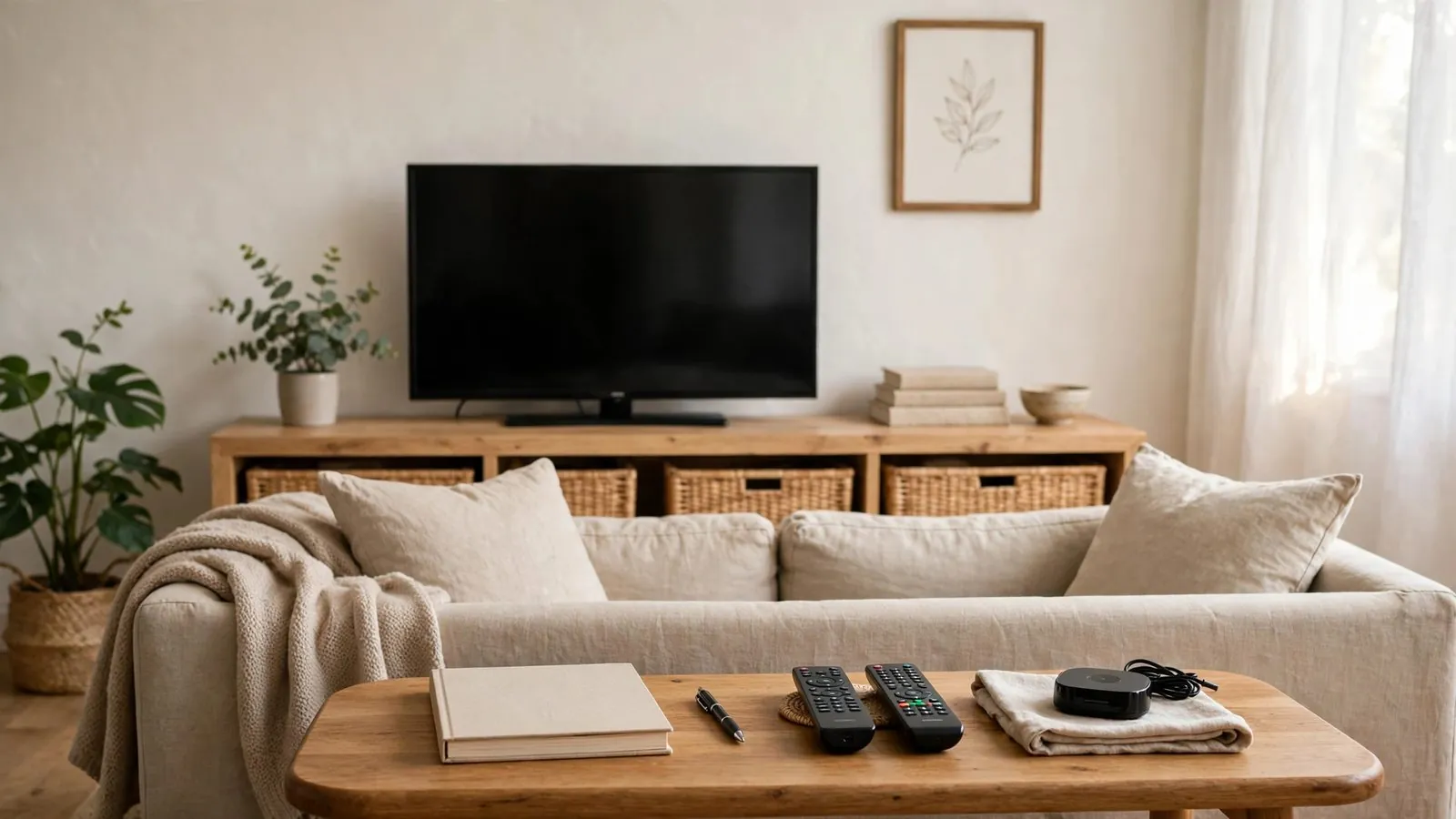
When a television freeze occurs or family members compete for remote controls on a busy evening, the instinctive reaction in many households is to immediately purchase new hardware, swap software applications, or alter service packages. Yet impulsive modifications frequently introduce fresh complications without addressing the root dynamic: nobody in the household has systematically tracked how, when, or where family members actually consume media.
Before altering any aspect of your household television or streaming setup, establishing a structured observation phase is the most prudent first step. Rather than assuming what the household requires based on sporadic complaints, taking a few days to observe natural usage patterns can help clarify everyday viewing routines: which screens are active simultaneously, what genres each person gravitates toward, which navigation interfaces cause confusion, and when demand peaks.
This guide provides an organized, non-technical methodology for conducting a family streaming audit. By logging objective observations before altering software, hardware, or profile configurations, household organizers can make informed, consensual decisions that genuinely improve daily entertainment routines.
Why Observation Precedes Change in Family Media Environments
In a busy home, media routines evolve organically. Children watch morning animations on a shared tablet, parents catch late-evening news in the living room, and adolescents stream recreational videos in bedrooms. Over time, friction inevitably develops: overlapping requests, misplaced remotes, conflicting schedule preferences, or recurring usability hurdles.
Rushing to change platforms, buy additional streaming sticks, or alter subscription profiles in reaction to a single stressful evening often leads to wasted effort. A change introduced without baseline data often fails because it addresses symptoms rather than habits. For example, upgrading an app interface might confuse younger children or older relatives if their viewing paths were never documented. Similarly, reorganizing channel favorites or category menus without consulting everyday routines can disrupt established habits and generate renewed frustration.
A pre-change observation phase creates a neutral, evidence-based buffer. It shifts the household conversation from emotional complaints to documented operational facts. Documenting observable behaviors allows household organizers to understand the living ecosystem of their family entertainment before touching a single configuration setting.
Mapping Screen Distribution and Physical Viewing Zones
Effective observation begins with a physical inventory of viewing environments across the home. Media consumption rarely happens in isolation; it is deeply tied to room layout, lighting, ambient noise, and social dynamics.
When auditing physical viewing zones, document the following attributes for every screen in the home:
• Location and Environment: Is the display in a high-traffic communal zone, such as a living room or kitchen, or a private retreat, such as a bedroom or home office? High-traffic areas typically benefit from simpler navigation layouts that household members can access with minimal friction.
• Display Interface and Control Hardware: What device controls the screen, such as a dedicated smart television remote, an external media streaming stick, a game console, a tablet, or a mobile phone? Note whether family members struggle with specific physical remotes, small buttons, or touch interfaces.
• Primary Viewers and Ergonomics: Who spends the most time in front of each screen? An auxiliary screen placed in the kitchen may primarily display culinary programming or quick news updates while dinner is prepared, whereas the main living room display serves group cinema nights.
• Audio Sensitivity: Are certain screens restricted by volume constraints, such as being located adjacent to a nursery or a sleeping area? Such constraints heavily influence whether personal headphone features or subtitles are essential during routine use.
Mapping physical zones prevents the common mistake of designing a one-size-fits-all media configuration for displays that fulfill fundamentally different household functions.
Tracking Daily Time Windows and Concurrent Viewing Demand
One of the frequent friction points in family households is concurrent viewing: multiple individuals attempting to stream different programming at the same hour. Playback interruptions or capacity limits during these moments can stem from simultaneous stream limits permitted by a subscription, local network congestion, device hardware limitations, or simply unmanaged household scheduling overlaps. Observation helps identify when peak concurrency occurs, though it does not replace technical diagnostics.
To understand concurrent demand, track household activity across three key daily windows:
• The Morning Departure Window: Typically occurring in the early morning hours before school and work. Observations during this period often reveal quick, fragmented usage: brief weather updates, background morning shows, or short children's programming while getting ready.
• The Afternoon Transition Window: Typically occurring in the late afternoon when family members return home. Children and teenagers often initiate solo viewing sessions on smaller screens or secondary televisions during this timeframe.
• The Evening Prime Window: Typically spanning the hours between dinner and bedtime. This is the period of highest concurrency. Document whether the household gathers for unified viewing or splinters into independent rooms with divergent media interests.
During these windows, record the exact count of concurrent active screens rather than guessing. Note whether concurrent sessions involve live broadcasts, on-demand series, or casual browsing. Understanding actual concurrent usage helps household managers evaluate simultaneous stream allowances and subscription tiers against genuine household patterns, rather than guessing.
Documenting Viewing Preferences and Navigation Patterns
Every member of a household interacts with media software differently. An interface that appears intuitive to a tech-savvy adult may prove overwhelming for a grandparent or inaccessible to an early reader. Pre-change observation must catalog how each family member navigates to their preferred programming.
Examine the following elements during normal family viewing sessions:
• Direct Navigation versus Deep Searching: Does a family member rely on direct numerical channel inputs, a scrolling electronic program guide, curated favorites folders, or a global search bar? Documenting this clarifies user habits, though the availability of traditional grid guides, numerical entry, or search varies significantly across streaming applications and remote controls.
• Content Categorization Tendencies: Does each viewer know exactly what title or channel they seek, or do they spend significant time browsing carousels? Excessive browsing often signals that category folders are cluttered or that preferred items are buried under hundreds of irrelevant entries.
• Independence of Operation: Can younger children or elderly household members launch their desired content unassisted, or do they consistently summon another family member to navigate setup screens, input selections, or dismiss dialog boxes?
• Language and Subtitle Requirements: Does anyone in the home regularly enable alternate audio tracks, closed captions, or subtitles? Noting these preferences ensures that future organizational choices do not inadvertently hide accessibility options.
Recording these navigational habits helps avoid replacing a familiar interface with an over-engineered alternative that confuses household members.
Logging Household Friction Points Without Technical Guesswork
When a media session falters, household members frequently express frustration through generalized assertions: "The TV is broken," "The app crashed," or "This service is terrible." For a household organizer, recording such statements verbatim provides little actionable insight.
Instead, train your observation process to separate descriptive operational symptoms from speculative causes:
• Record Observable Behaviors, Not Theories: If a stream pauses, write down: "Video froze at 8:15 PM on the living room display while watching a live evening program; audio continued for three seconds before stopping." Do not write: "Our internet was throttled" or "The server went down."
• Note Input and Navigation Failures: Document instances where a remote command produced an unexpected result, such as an accidental exit from an application, an accidental channel change, or an inability to return to the home screen.
• Track Audio and Video Desynchronization: If family members report that speech does not align with picture, note the specific application, device, and time.
• Catalog Repetitive User Confusion: If family members repeatedly ask how to access a specific feature—such as locating a recorded program, opening a catch-up menu, or switching categories—log this as an interface clarity issue rather than user error.
By cataloging verifiable observations rather than technical assumptions, household managers gather a useful descriptive record of usability friction, though underlying network issues or provider outages will still require technical troubleshooting.
Setting an Effective Multi-Day Observation Window
While an atypical single day may be influenced by temporary events—such as an unusual sports broadcast, an illness, or houseguests—even a brief observation can highlight immediate navigation bottlenecks.
For a broader representative sample of routine habits, households often choose to observe viewing over several consecutive days, such as across a full week, while remembering that acute technical issues or service outages should be investigated immediately rather than delayed:
• Include Both Weekdays and Weekends: Weekday routines follow structured school and work schedules, whereas weekend viewing patterns are typically more fluid, spontaneous, and distributed throughout daylight hours.
• Avoid Major Holiday Anomalies: Do not conduct a baseline audit during holiday vacations, extended family visits, or seasonal breaks when houseguests distort ordinary viewing counts.
• Maintain Transparent Consent and Normal Routines: Openly inform family members about the observation and obtain their consent, ensuring there is no hidden monitoring. Encourage them to keep their normal viewing habits so the notes reflect routine use rather than artificial behavior.
• Designate a Single Central Log: Ensure observations are funneled into one consolidated record rather than scattered across stray notes or individual phone messages.
An observation window provides an illustrative sample of daily household routines, helping distinguish recurring user navigation hurdles from occasional schedule conflicts, without delaying needed technical support when severe playback faults occur.
Comparison of Household Observation Methods
Choosing the appropriate tracking mechanism ensures that the audit is completed without becoming an administrative burden. The following table provides a qualitative comparison of three non-technical observation methods suitable for family environments.
Observation Method: Paper Viewing Log · Setup Effort: Minimal (printed sheet & pen placed near TV) · Family Accessibility: Accessible for literate household members able to write by hand · Best Suited For: Single or dual communal television setups · Key Limitations: Can be misplaced; requires manual review; unsuitable for pre-literate children
Observation Method: Shared Digital Sheet · Setup Effort: Moderate (template link shared to mobile devices) · Family Accessibility: Moderate (requires smartphone or computer access) · Best Suited For: Multi-screen homes with viewing in separate bedrooms · Key Limitations: Younger children or seniors may forget to input entries
Observation Method: Weekly Family Check-In · Setup Effort: Low (optional brief guided conversation) · Family Accessibility: Encourages verbal sharing for household members comfortable in group discussion · Best Suited For: Gathering qualitative feedback on navigation friction · Key Limitations: Relies on recall; specific glitch timestamps or technical details may be forgotten
Selecting an appropriate tracking method—or pairing an accessible communal sheet with an informal verbal check-in—helps gather consensual household feedback to guide practical setup adjustments.
Pre-Change Observation Checklist for Household Organizers
Before making any decision to modify your household streaming setup, verify that you have completed each of the following preparatory steps:
• [ ] Document Every Active Screen: Catalog all televisions, tablets, streaming media sticks, and secondary displays currently utilized by household members.
• [ ] Record Primary and Auxiliary Users: Identify who uses each screen most frequently and whether individual profile separation is beneficial, noting that profile support and favorites isolation depend on the specific streaming application.
• [ ] Log Peak Concurrency Periods: Establish the maximum number of screens operating simultaneously during weekday mornings, weekday evenings, and weekend afternoons.
• [ ] Identify Top Content Categories per User: List the specific genres, networks, or programming formats regularly accessed by each family member, such as live regional news, morning cartoons, documentary series, or live events.
• [ ] Audit Controller and Remote Usability: Note whether any household member experiences difficulty handling physical remotes, navigating complex on-screen keyboards, or remembering multi-button shortcuts.
• [ ] Record Recurring Navigation Bottlenecks: Document the specific steps where users get lost, accidentally close applications, or fail to locate their desired category.
• [ ] Track Environmental Factors: Note volume restrictions, ambient lighting conditions, and whether wireless audio or closed captions are routinely needed.
• [ ] Sanitize and Secure Documentation: Confirm that all written notes, digital spreadsheets, and shared household summaries omit account passwords, private playlist URLs, authorization tokens, and credentials. Keep any machine-readable backup files intact, unmodified, and securely stored rather than attempting manual text redaction.
Hypothetical Household Observation Scenarios
The following scenarios are explicitly fictitious examples illustrating how families can systematically log observations before undertaking media reconfigurations.
(Security and Privacy Notice: In shared household documentation, always omit personal account passwords, private playlist links, access tokens, and secret credentials. Never record real login details in shared family logs. If configuration or backup files are exported, store machine-readable files intact and private without editing raw code.)
Scenario A: The Multi-Generational Evening Congestion (Fictitious Example)
• Household Context: The fictitious Martinez family includes two working parents, two school-aged children, and a resident grandmother. Their home has three screens: a primary television in the living room, a secondary television in the grandmother's bedroom, and a shared tablet.
• Pre-Change Complaint: The parents noted recurring evening chaos at dinner time, characterized by disputes over who could watch what, alongside complaints that the television was constantly showing the wrong channels.
• The Observation Process: The family instituted an eight-day paper log placed on a clipboard next to the living room television, paired with a small notebook in the grandmother's room. All service credentials were systematically masked as [Account-Main-Display] and [Bedroom-Unit-B].
• Recorded Findings:
• *Concurrency:* Between 7:00 PM and 8:15 PM on weeknights, three users attempted simultaneous streaming: the grandmother watched international evening news, the children streamed cartoons on the tablet, and a parent watched regional sports in the living room.
• *Navigation:* The grandmother consistently struggled with multi-level application menus on the living room media stick and accidentally pressed the home button, unaware that her bedroom television had access to the identical news feed.
• *UI Bottleneck:* The younger child opened incorrect category folders because text labels lacked clear visual emblems.
• Resulting Non-Technical Solution: The family favorited the news channel on the bedroom display, prepared a three-step remote card for the grandmother, and scheduled tablet cartoons before dinner. In this illustrative scenario, these low-friction adjustments reduced confusion around daily viewing paths without altering existing software subscriptions.
Scenario B: The Fragmented Weekend Routine (Fictitious Example)
• Household Context: The fictitious Clarke household consists of two professionals and a teenager living in a two-story home with displays in the living room, a home office, and the teenager's room.
• Pre-Change Complaint: The household believed their media system was obsolete because family members constantly experienced decision fatigue and reported frequent playback interruptions on weekend afternoons.
• The Observation Process: The household recorded daily observations on a private shared checklist for one week with full family consent. Shared household notes omitted all account passwords and streaming tokens, using simple nicknames like "Office Screen" and "Living Room Display".
• Recorded Findings:
• *Ghost Sessions:* On Saturday afternoons, the office television was frequently left streaming background programming while the viewer worked in another room, needlessly occupying an active session.
• *Category Clutter:* The teenager spent ten to twelve minutes scrolling past thousands of unneeded foreign channel bouquets to locate domestic documentary categories, mistaking browsing fatigue for a system malfunction.
• *Remote Hardware:* Weak batteries and an obstructed line-of-sight in the living room caused delayed remote responses, which family members had initially perceived as software freezes.
• Resulting Non-Technical Solution: The family replaced depleted disposable batteries in accordance with the manufacturer's manual, gently wiped the remote exterior with a dry cloth, organized visible channel categories where the application allowed it, and agreed to gracefully exit streaming apps when finished. In this illustrative example, clarifying everyday usage helped reduce frustration without changing subscriptions.
Transforming Recorded Observations into Practical Media Decisions
Once your observation window concludes, compile your notes and review them as a household. The goal is to translate empirical observations into practical, low-friction organizational adjustments:
• Streamline Category Menus: If your notes show that household viewing is concentrated on specific content groups, check whether your application allows hiding unneeded bouquets or shopping channels. Note that hiding categories is merely an organizational preference and not a substitute for formal PIN-protected parental controls, and group visibility options vary across platforms.
• Configure Tailored Favorites: Where supported by your streaming software, set up customized favorite lists for regular viewers. Note that some applications store favorites globally across the account rather than per profile, and direct startup-to-channel features depend entirely on individual app capabilities.
• Establish Physical Household Etiquette: Practical household agreements can help reduce routine friction. Simple habits—such as gracefully exiting playback before switching inputs, checking that background devices are not left running, and keeping remotes in an accessible communal spot—help maintain orderly usage without disrupting background system updates or scheduled recordings.
• Clarify Genuine Technical Needs: If, after completing your audit, you observe that simultaneous viewing consistently exceeds your device allowances or that specific hardware remote controls are fundamentally unsuited for certain users, you can proceed with targeted, precise hardware or account adjustments grounded in real data rather than impulse.
Final Thoughts on Household Media Organization
Changing hardware or cycling through streaming applications may not address everyday friction if family routines and navigational preferences remain unexamined. A functional household entertainment setup benefits from clear communication and thoughtful organization.
Taking an optional period to observe physical viewing zones, concurrency windows, and interface preferences provides practical baseline context. While an audit does not replace technical troubleshooting for persistent signal or hardware faults, establishing clear household habits helps ensure that future setup adjustments are purposeful and aligned with family needs.
Want the full Catchon TV experience?
Frequently asked questions
How long should a family observe viewing habits before making changes?
There is no rigid required timeframe. Observing usage over several days or a full week can provide an optional representative sample of weekday and weekend routines. However, households do not need to wait if experiencing urgent hardware faults, severe transmission drops, or service outages, which should be addressed immediately.
Why should we avoid making technical network adjustments during an audit?
Modifying router configurations, network cables, or software settings in the middle of an observation period contaminates your baseline data, making it difficult to determine whether a change resulted from routine household shifts or technical adjustments. However, if a severe connection outage or hardware hazard occurs, address it immediately rather than delaying necessary repairs for an audit.
How do we handle sensitive account credentials when logging household media?
Never record passwords, private playlist URLs, or access tokens in shared family logs or communal notebooks. Use generic labels such as [Main TV Profile] or [Bedroom Screen] to identify devices. If you export machine-readable configuration backups, keep those files private, secure, and unmodified rather than editing raw code; human-readable notes should simply omit private credentials from the start.
What should we do if family members forget to fill out the observation log?
Keep the logging process as frictionless as possible. Reduce required entries to simple tick marks or three basic data points: time, screen used, and any observed symptom. Complement written logs with a brief, informal ten-minute conversation over the weekend to capture qualitative feedback.
Can an observation log really solve playback complaints without spending money?
An observation log cannot resolve technical transmission faults, network bandwidth deficits, or provider outages, which require technical troubleshooting. However, logging household routines can help clarify whether friction is driven by user navigation confusion, menu clutter, or overlapping family schedules, allowing households to address organizational habits before deciding on hardware or subscription changes.
Read next: the pricing page or the FAQ.