
How to Choose an IPTV Service in 2026: The Complete Buyer's Guide
August 30, 2026 · 9 min read
Back-to-school season (August–September) is when IPTV shopping spikes every year, and 2026 is no exception. Cord-cutting is now the default rather than the exception, H.265 (HEVC) is becoming the baseline codec rather than a nice-to-have, and a string of government crackdowns on illegal IPTV operations — including a widely reported ₹700 crore scam takedown in India earlier this year — has made buyers understandably nervous about legality and safety.
The problem is that most 'how to choose an IPTV service' articles stop at a feature checklist: channel count, price, device support. They rarely tell you how to verify any of it before you pay. This guide is built differently. It gives you a repeatable set of tests you can run in five minutes on any provider's trial or landing page — codec detection, latency measurement, CDN behavior, support responsiveness, and trial red flags — so you're evaluating evidence, not marketing copy.
None of the tests below require technical expertise. You need a browser, a stopwatch, and about fifteen minutes before you hand over a card number.
The 2026 IPTV Buyer's Checklist: What Actually Changed This Year
Three shifts define IPTV shopping in 2026. First, codec support: H.265/HEVC delivers roughly the same picture quality as older H.264 at a much lower bitrate, which matters directly for buffering on average home connections — a provider still leaning entirely on H.264 is running older infrastructure. Second, enforcement risk: several countries expanded action against unlicensed streaming operations in 2026, which means the legal status and operational transparency of a provider is now a real due-diligence item, not a paranoid afterthought. Third, expectations have simply risen — viewers who grew up with Netflix-grade start times treat a 10-second channel change as a dealbreaker, not a quirk.
That means the old checklist (price, channel count, 'HD available') is no longer sufficient. The updated one adds: codec transparency, measurable latency, verifiable support quality, and a clear read on legal footing. Each of those is testable before you commit to a plan, and the sections below walk through exactly how.
For background on distinguishing legitimate operators from operations at enforcement risk, see our companion piece on how to verify a legitimate IPTV service in 2026 — it covers the documentation and transparency signals worth checking alongside the technical tests here.
Curious how Catchon TV holds up on these tests before you commit to anything?
Critical Test #1: Measure Latency & Buffering (CDN Detection Method)
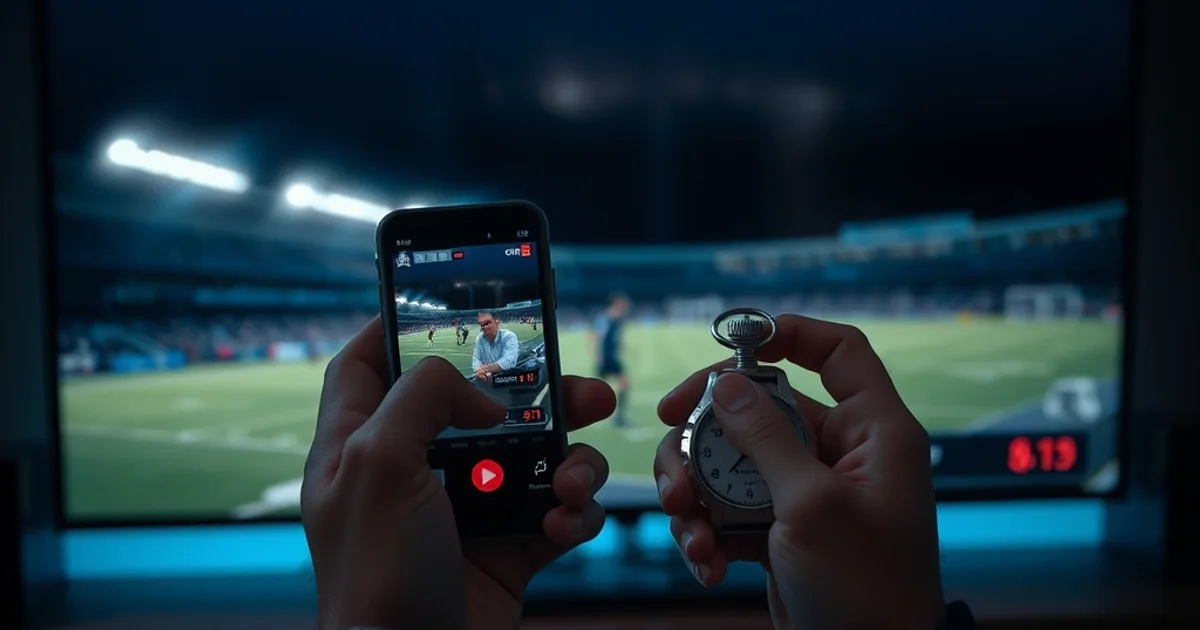
Latency — the delay between a live broadcast and what appears on your screen — is the single most common complaint about IPTV, and it's directly testable during a trial. Load a live sports channel or news channel alongside the same broadcast on a second device via cable or a competing app, and time the gap using your phone's stopwatch. Anything consistently under 5-8 seconds is workable for casual viewing; double-digit delays are a problem for live sports specifically, where score reveals on social media will spoil the moment before your stream catches up.
Buffering behavior tells you about the provider's CDN (content delivery network) setup. Switch channels rapidly ten times in a row and note how often the stream stalls or drops to a lower resolution before recovering. A provider with proper multi-region CDN distribution recovers in 1-2 seconds; one relying on a single origin server will stall noticeably longer, especially during peak evening hours or major matches when everyone on the same server is competing for bandwidth.
We've published a full methodology for this, including how to isolate whether slowness is the provider's infrastructure or your own ISP throttling, in our low-latency IPTV setup guide for live sports. If you suspect your connection itself is the bottleneck rather than the provider, our guide on fixing ISP throttling issues walks through the diagnostic steps separately — testing both prevents you from blaming a provider for a problem on your end, or vice versa.
Critical Test #2: Codec Support — Why H.265 HEVC Matters Now
Codec support is the technical detail almost no comparison site checks, and it's arguably the most consequential one for anyone on a moderate broadband connection. H.264 (AVC) is the older, more universally compatible standard; H.265 (HEVC) compresses the same video quality into roughly 40-50% less data. On a connection that struggles during peak hours, that difference is the gap between smooth 1080p and constant re-buffering at the same nominal 'HD' label.
You can't always tell which codec a provider uses just by asking — support staff often don't know, or will simply say 'we support HD and 4K' without specifying the underlying encoding. A more reliable check: ask during a trial whether 4K content is offered, since most H.264-only infrastructure struggles to deliver 4K reliably at all; providers who genuinely support 4K streams at reasonable bitrates are very likely running H.265 or newer encoding on the backend. Watching for visible artifacting (blockiness in fast motion, like a football match) during a trial is also a practical, low-effort proxy test.
This matters more in 2026 than it did two years ago because more source content — including major sports broadcasts — is now mastered and distributed in HEVC by default, and providers still stuck on older-generation encoding pipelines will visibly lag behind on quality-per-megabit as that becomes the norm.
Critical Test #3: Device Compatibility & Setup Speed
Device support is easy to check on paper and easy to get wrong in practice. A provider might list 'compatible with all devices' while actually depending on a third-party player app that varies wildly in quality — some IPTV players handle EPG (electronic program guide) data cleanly and support multi-screen picture-in-picture, others crash on channel lists over a few hundred entries, and others handle catch-up/replay poorly.
The practical test: during setup, time how long it takes from entering your credentials to a working, stable stream. A provider with clean app integration and clear setup instructions gets you watching in under five minutes on Fire TV, Android TV, or a phone. If setup requires manually configuring third-party apps, sideloading files, or hunting through forum threads for the right player, that's a signal about the overall quality of the service, not just the app.
We've compared the major third-party player apps directly — including how each one handles EPG accuracy, multi-connection support, and stability — in our IPTV player comparison of TiviMate vs Smarters Pro, which is worth reading before you commit to a provider that depends on one of them.
The Hidden Differentiator: Support Quality Scorecard
Support quality is the differentiator almost nobody tests before subscribing, and it's the one you'll care about most the first time a channel goes down mid-match. The test is simple: message the provider's support channel (live chat or WhatsApp, whichever they offer) before you pay, at a random time of day, with a specific technical question — not 'do you have sports channels' but something like 'what happens if a channel drops during a live match, how fast is it usually restored.'
Score the response on three axes: response time (under a few minutes is good; hours is a red flag), specificity (a real answer versus a copy-pasted generic reply), and tone (patient and technical versus pushy and sales-focused). A provider that stonewalls or deflects a pre-sale technical question will be far worse once they've already been paid.
This single test filters out more bad providers than any spec sheet, because support quality is expensive to fake consistently — a provider can write a good FAQ page in an afternoon, but can't manufacture genuinely responsive, knowledgeable support without actually investing in it.
Before You Pay: Free Trial Red Flags & Credential Verification
Free trials are the single riskiest moment in the IPTV shopping process, and also the most useful — if you know what to watch for. The core rule: a trial should never require a full password you use elsewhere, and it should never auto-convert to a paid subscription without a clear, separate confirmation step. If a provider asks for banking details before showing you a single stream, or buries an auto-renewal clause in fine print rather than stating it plainly at signup, treat that as disqualifying.
Credential theft is a real risk in this space specifically because trial signup often asks for an email and sometimes a password reused from other accounts. Use a unique password for any IPTV trial signup, and if the provider requests information beyond what's needed to activate a stream (payment card for a supposedly 'free' trial, ID documents, access to unrelated accounts), that's a red flag regardless of how good the channel list looks.
We go deeper into the specific hidden-cost patterns to watch for — including the trials that quietly convert into recurring charges — in our piece on IPTV free trial hidden costs, which is written from real complaint patterns rather than general caution.
Pricing Breakdown: Annual vs Monthly (True Cost Comparison)
Annual plans typically offer a lower effective monthly cost than paying month-to-month, which is the standard subscription-economics tradeoff: the provider gets committed revenue, you get a discount, and you take on the risk of prepaying for a service you haven't fully stress-tested yet. The sensible approach is sequencing, not guessing — run a short trial or a single month first, apply every test in this guide, and only move to an annual commitment once latency, codec quality, device compatibility, and support have all held up under real use, ideally including at least one live sports event or peak-hour evening.
Watch specifically for auto-renewal terms on annual plans: confirm whether the plan renews automatically at the end of the term and what the cancellation window looks like, since this is the single most common source of billing disputes in the IPTV space generally. A provider that states its renewal terms plainly, without you having to dig, is itself a signal of legitimacy worth weighing alongside the technical tests above.
If you want a side-by-side breakdown of how Catchon TV's own plans compare on this exact tradeoff, our subscription guide walks through the plan structure in detail.
Run the tests, like the results, and ready to lock in a plan that won't surprise you at renewal?
Deal-Breakers & Red Flags in 2026
Three categories of red flag deserve zero tolerance in 2026. The first is legal opacity: providers that are evasive about their operational structure, refuse to answer basic questions about content licensing, or operate under a name that changes frequently are the ones most exposed to the kind of enforcement action that made headlines with the India crackdown earlier this year — and when a provider gets shut down, you lose your subscription with no recourse. Our guide to verifying a legitimate IPTV service in 2026 covers the specific transparency signals to check here.
The second is credential and payment handling: any provider requesting more account access or payment information than a streaming trial reasonably needs. The third is auto-renewal traps: plans that convert to paid or roll into a new billing cycle without a clear, separate confirmation step, especially ones that make cancellation deliberately difficult to locate.
None of these require expert judgment to spot — they require actually looking, which is the entire point of running the tests in this guide before you pay rather than after.
Frequently asked questions
How do I test IPTV latency before subscribing?
Play the same live channel on the IPTV app and on a cable feed or competing app simultaneously, then time the gap with a stopwatch. Under 5-8 seconds is workable for most viewing; live sports fans should look for the lowest gap available, since social media will often reveal scores before a delayed stream catches up.
Why does H.265 (HEVC) codec support matter for IPTV in 2026?
H.265 delivers similar picture quality to H.264 using significantly less data, which directly reduces buffering on moderate broadband connections. Providers that reliably offer 4K content are very likely running H.265 or newer encoding, since older codecs struggle to deliver 4K at practical bitrates.
Is IPTV legal, and how do recent crackdowns affect buyers?
Legality depends heavily on how a provider sources and licenses its content, and recent enforcement actions — including a large-scale crackdown in India earlier in 2026 — targeted operations built on unlicensed redistribution. Buyers should check for operational transparency and clear licensing claims rather than assuming all IPTV services carry the same risk.
What free trial signup requests should make me walk away?
Any request for a password you reuse elsewhere, full banking details before you've seen a single working stream, or unrelated account access. A trial that auto-converts to paid without a distinct, clearly stated confirmation step is also a signal to reconsider.
Is an annual IPTV plan worth it over monthly billing?
Annual plans generally lower the effective monthly cost but commit you before you've fully stress-tested the service. The safer sequence is to trial or run a single month first, apply latency, codec, and support tests, and only commit annually once the service holds up during a real peak-hour or live sports test.
How can I judge IPTV support quality before paying?
Message support with a specific technical question before subscribing — for example, what happens if a channel drops mid-match. Judge the response on speed, specificity, and tone. A provider that stonewalls a pre-sale question is a reliable predictor of poor post-sale support.
Read next: the pricing page or the FAQ.